WordPress · WooCommerce · open source

Plugins that ship

Vibe Code Racing builds practical WordPress tools you host yourself — A/B testing that measures real lift, and EU checkout compliance for B2B WooCommerce stores.

No SaaS lock-in · GPL · Data stays on your site · vibecoderacing.com

Catalog

Two plugins. One brand.

Pick the tool that matches the job — or run both. Each ships as a standard WordPress plugin package ready for admin upload.

WordPress · A/B testing

VibeSplit

A/B test CSS, copy, JS, and images. Track conversions, export reports, and optionally forward results to GA4.

  • Visual element selector
  • WooCommerce add-to-cart goals
  • HTML / CSV / JSON reports + WP-CLI
  • Optional GA4 vibesplit_converted

WooCommerce · EU compliance

VibeShift EU Shipping

Collect and validate EORI numbers and EU VAT numbers at checkout — with VIES/HMRC checks and optional B2B tax exemption.

  • EORI validation for configured destinations
  • EU VAT + optional B2B exemption
  • Classic and block checkout
  • Order email labels for VAT & EORI

Product · v2.5.12

VibeSplit

A/B test page elements and measure conversions on your own WordPress install — no external SaaS.

Visual element selector

Point-and-click targets on live pages. Vary CSS, text, images, or JS behavior without rebuilding the page.

Conversion goals

Click, pageview, form submit, custom events, YouTube play, and WooCommerce add-to-cart — with page-scoped tracking by design.

Analytics you can trust

Traffic allocation, auto-balance, statistical significance, and HTML/CSV/JSON report export from admin or WP-CLI.

GA4 forwarding

Optional vibesplit_converted events on your existing gtag setup — plugin DB remains source of truth.

Portable tests

JSON import/export for configs. Move tests between staging and production without re-clicking everything.

Dev-friendly stack

Open source on GitHub. WP-CLI for reports. Chart.js for offline HTML exports. GitHub Release auto-updates for ZIP installs.

In the WordPress admin

Screenshots

Real UI from a WordPress install — tests list, editor, results with significance, settings, and the GA4 operator guide.

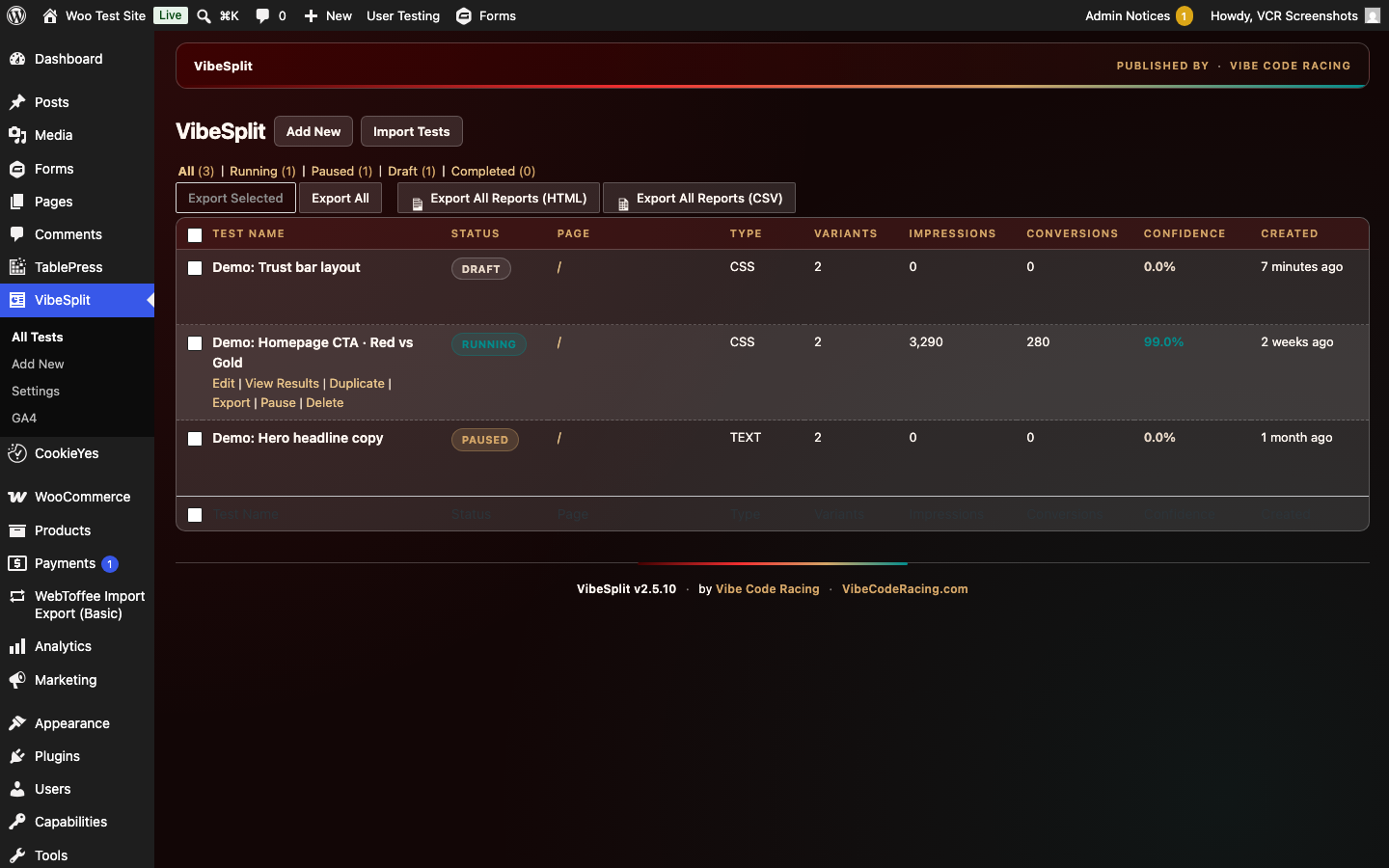
VibeSplit All Tests list in WordPress admin
All tests Status filters, export, confidence per variant
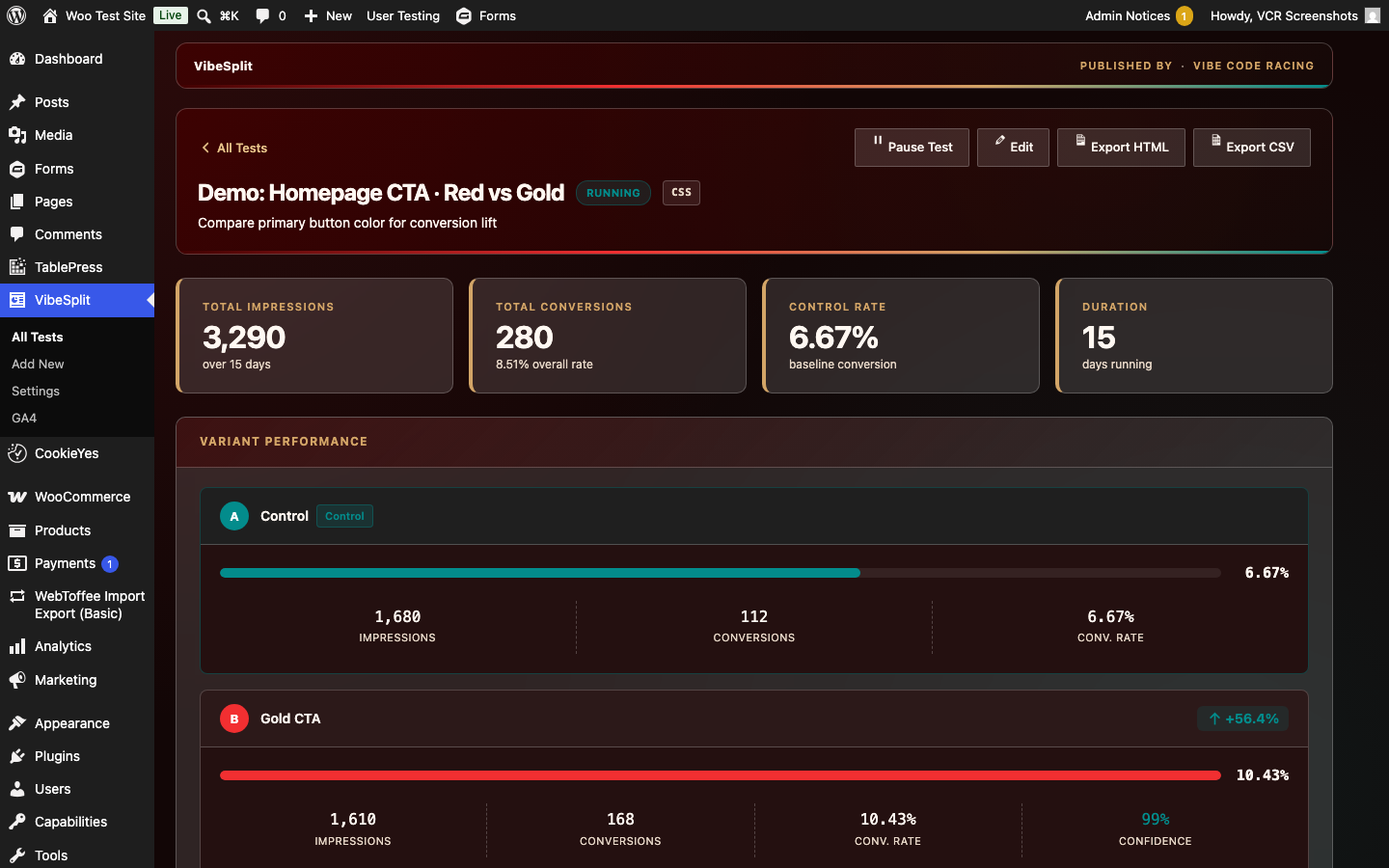
VibeSplit results dashboard with conversion rates
Results dashboard Impressions, conversions, lift, and confidence
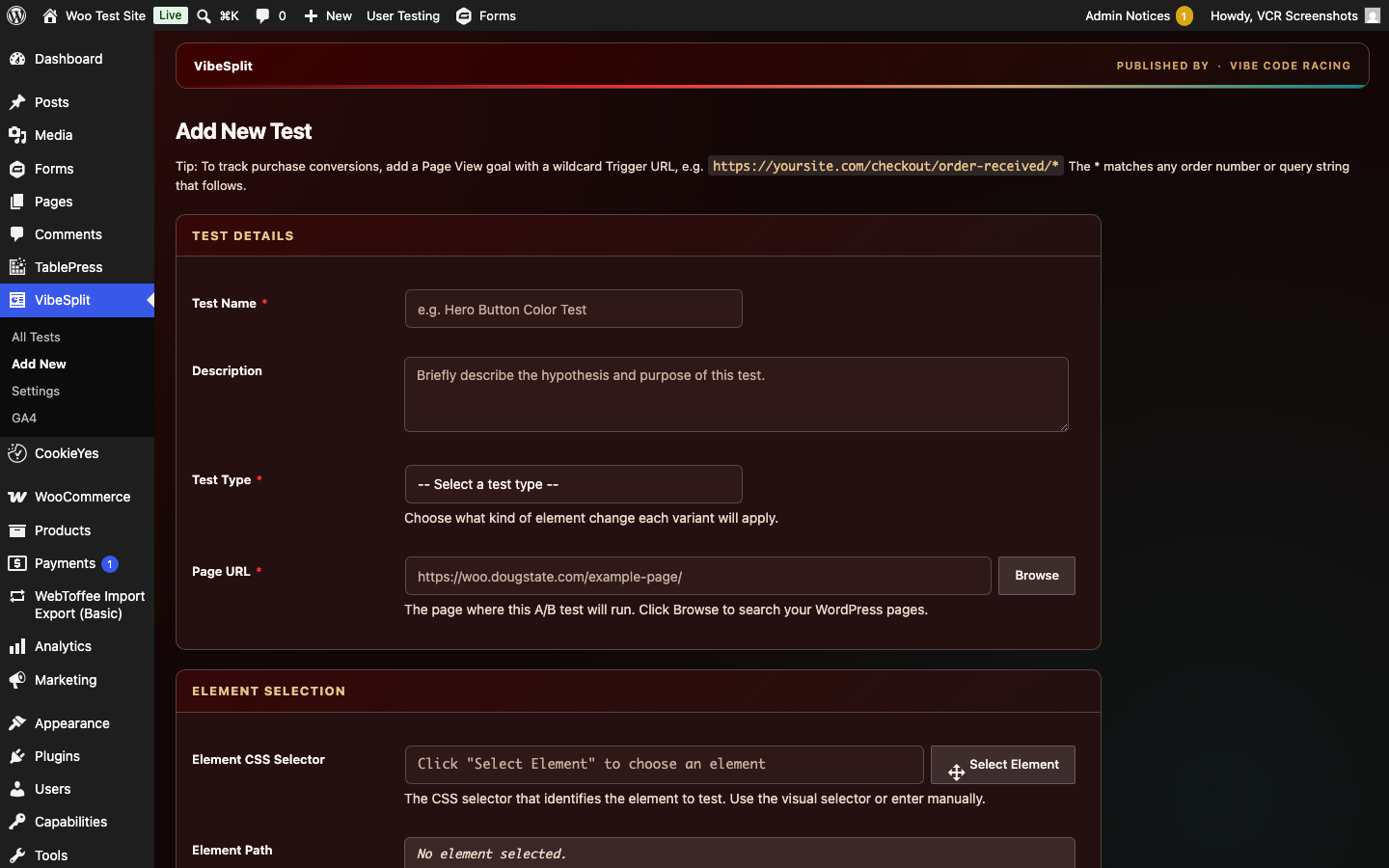
VibeSplit Add New Test screen
Add new test Page URL, selector, and variant setup
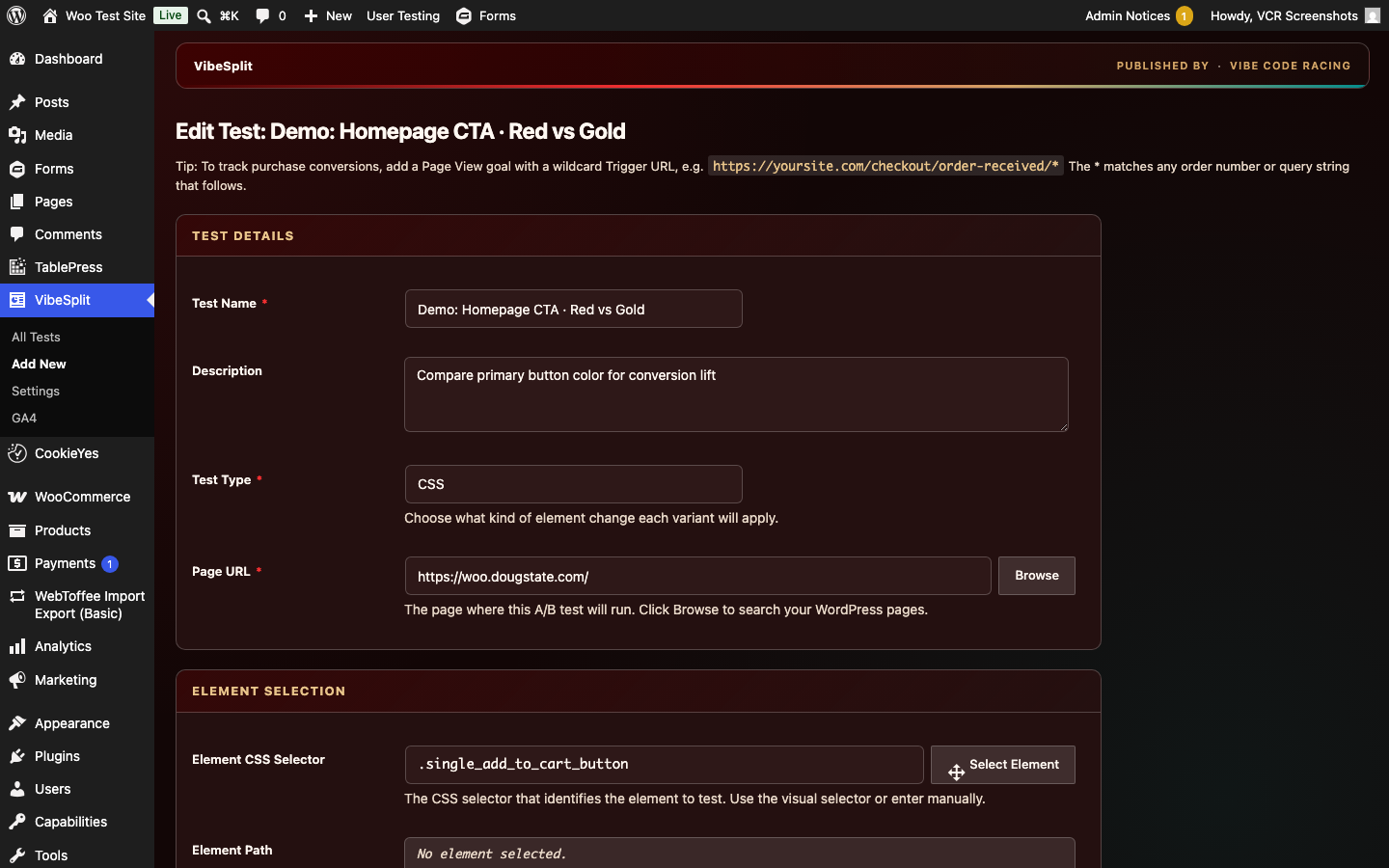
VibeSplit edit test with variants
Edit running test Control vs variant changes
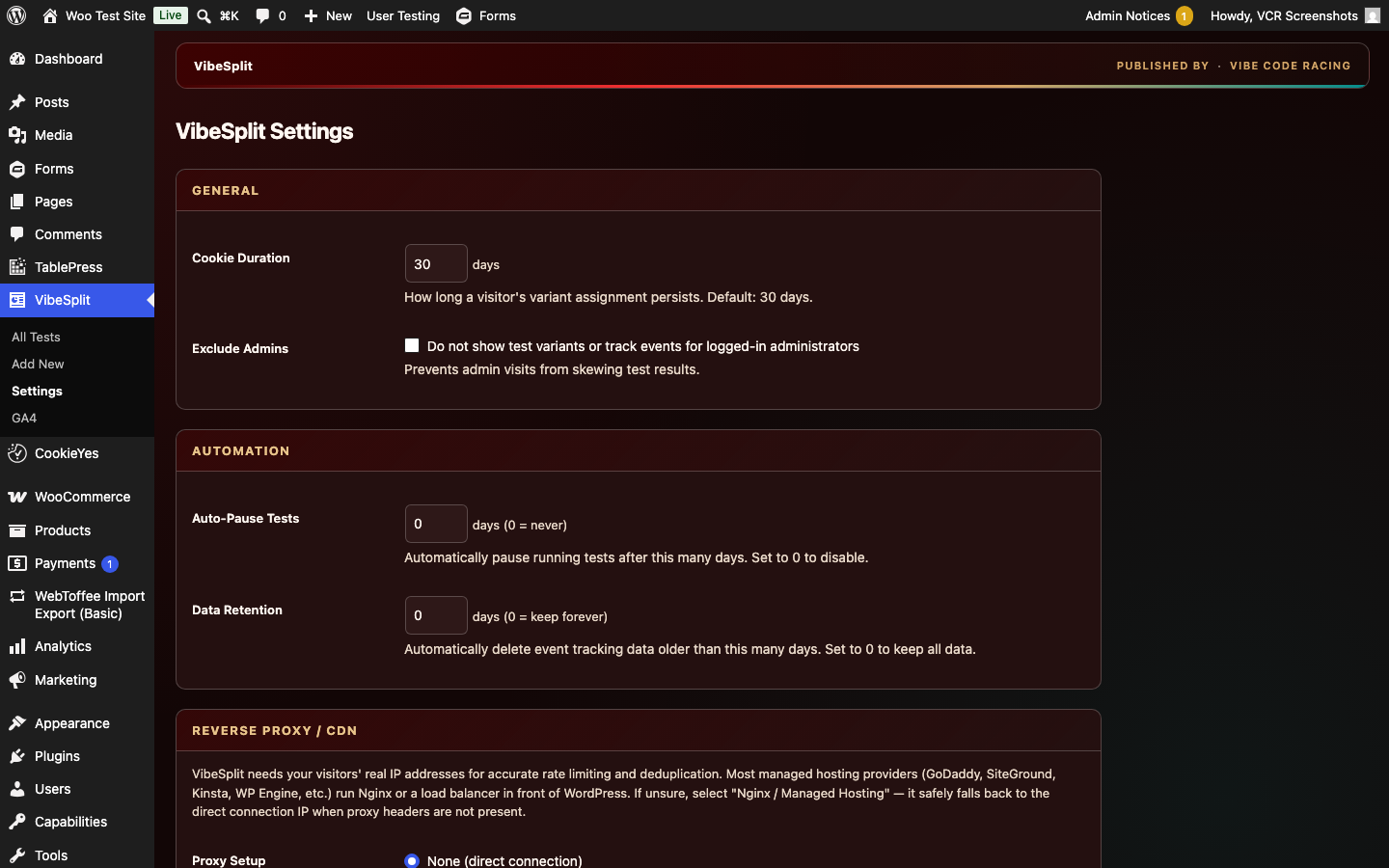
VibeSplit plugin settings
Settings Plugin options and GA4 toggle
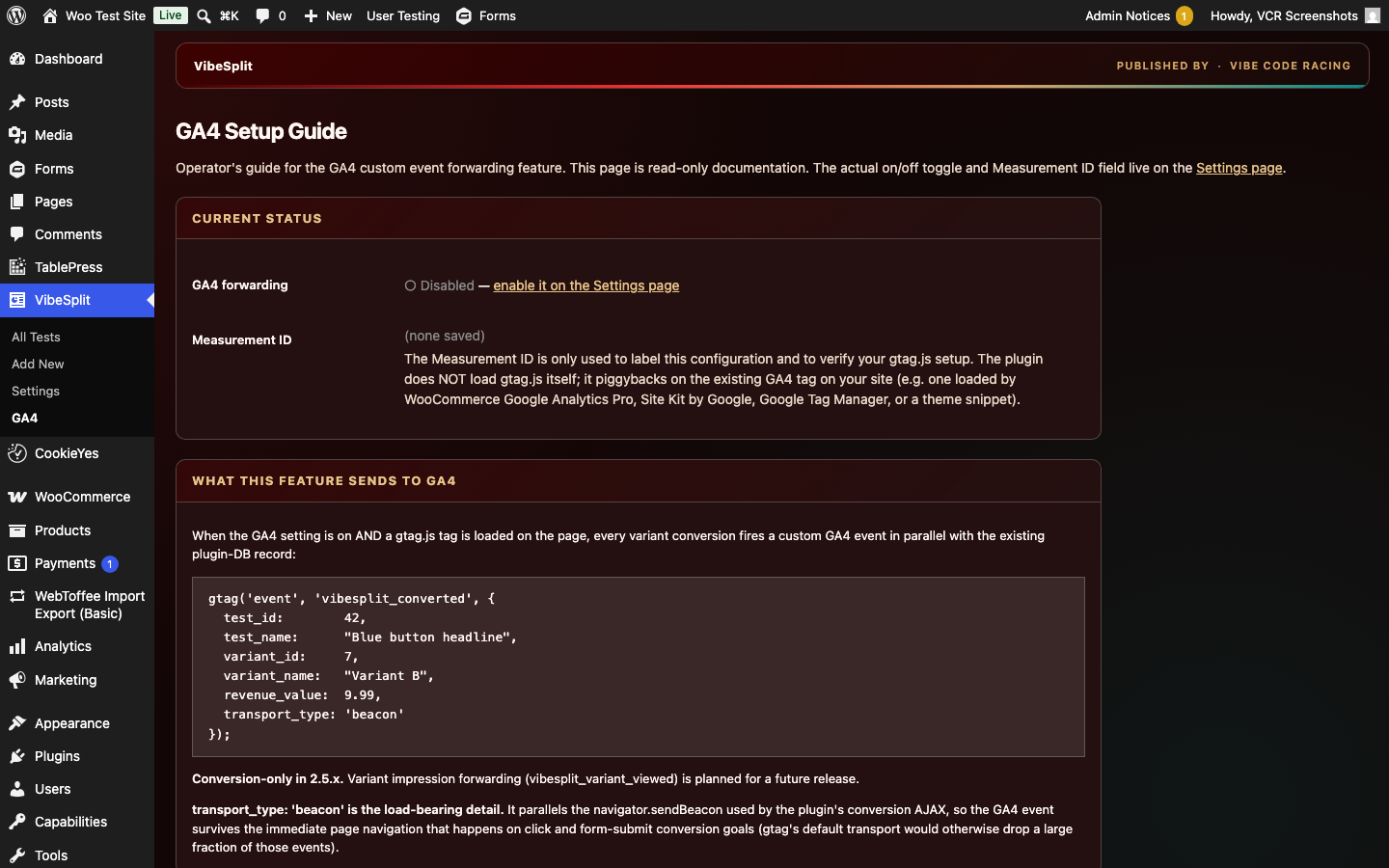
VibeSplit GA4 setup guide in admin
GA4 guide Operator docs for vibesplit_converted events

Get it running

Install VibeSplit

2. WordPress admin upload

  1. Plugins → Add New → Upload Plugin
  2. Choose vibesplit-2.5.12.zip
  3. Install & activate
  4. Use VibeSplit in the admin sidebar

3. From source (clone)

git clone https://github.com/VibeCodeRacing/VibeSplit.git \
  wp-content/plugins/vibesplit
# then activate in WP Admin or:
wp plugin activate vibesplit

Operators

WP-CLI & stack facts

Useful commands

# Install from local zip
wp plugin install ./vibesplit-2.5.12.zip --activate

# After activation, use VibeSplit CLI (reports / export)
wp help vibesplit

# Typical path on a remote host
wp --path=/home/user/public_html plugin list | grep -i vibe

Stack facts

Tables are local: wp_vibesplit_tests, wp_vibesplit_variants, wp_vibesplit_events, wp_vibesplit_conversions.

Product · v1.1.2

VibeShift EU Shipping

WooCommerce plugin for EU shipping compliance: EORI validation and EU VAT number collection with optional B2B tax exemption.

EORI validation

Collect and validate EORI numbers for configured shipping destinations. Works even when SOAP is unavailable.

EU VAT + B2B exemption

VIES / HMRC validation for EU VAT numbers, with optional reverse charge style B2B tax exemption when taxes are enabled.

Classic & block checkout

Field keys for classic checkout and WooCommerce block checkout, including Flexible Checkout Fields–compatible EORI.

Order emails & meta

Labeled EU VAT Number and EORI Number lines on emails. Stable order meta for reporting and integrations.

Merged package

One install replaces standalone EORI and EU VAT plugins. Deactivate those first — the merged plugin stays inactive while they load.

Operator settings

EORI under Shipping settings; EU VAT under Tax. No separate SaaS — validation runs from your store.

Get it running

Install VibeShift EU

2. WordPress admin upload

  1. Deactivate any standalone EORI Number or EU VAT Number plugins
  2. Plugins → Add New → Upload Plugin
  3. Choose vibeshift-eu-shipping-1.1.2.zip
  4. Install & activate VibeShift EU Shipping

3. From source (clone)

git clone https://github.com/VibeCodeRacing/VibeShift-EU.git
# installable folder lives at vibeshift-eu-shipping/
cp -R vibeshift-eu-shipping wp-content/plugins/
wp plugin activate vibeshift-eu-shipping

Configuration

Settings & fields

Where to configure

  • EORI WooCommerce → Settings → Shipping → EORI Number Validation
  • EU VAT WooCommerce → Settings → Tax

Checkout field keys

  • EORI classic billing_eori_number
  • EORI blocks vibeshift-eu-shipping/eori-number
  • VAT classic billing_vat_number

Stack facts

  • Version 1.1.2
  • WordPress 6.8+
  • WooCommerce 10.4+
  • PHP 7.4+
  • SOAP Required for VIES; EORI works without it
  • License GPLv3
  • Repo VibeCodeRacing/VibeShift-EU

Order meta stays compatible: _eori_number (+ validation flags), _billing_vat_number (primary), _vat_number (legacy fallback).

# Install from local zip
wp plugin install ./vibeshift-eu-shipping-1.1.2.zip --activate

Ship the test. Clear the border.

Grab a ZIP, open a repo, or star the plugins if they help your workflow.